
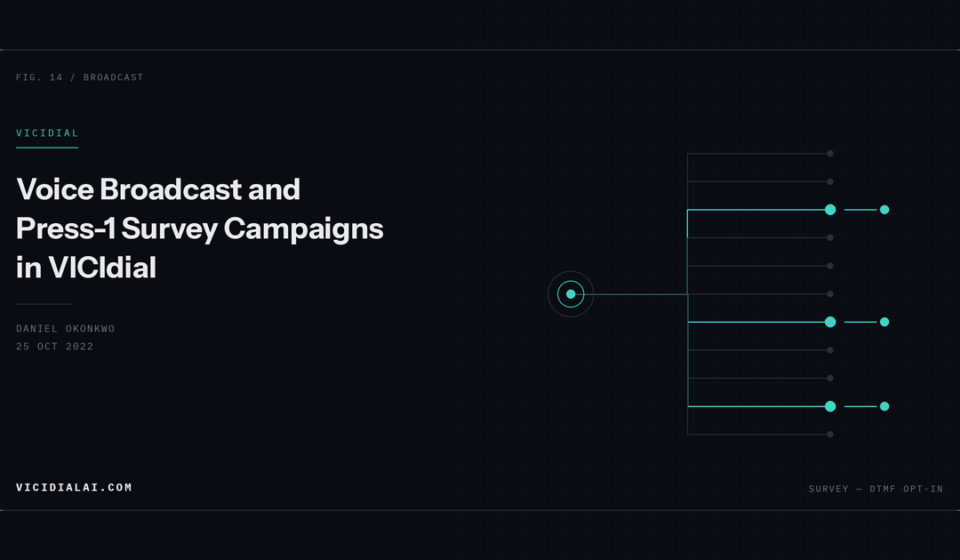

Voice broadcast dials without agents. A recorded message plays, and depending on configuration the call either ends or offers the recipient a keypress to reach a live agent. VICIdial handles both through its Survey campaign type.
This covers the configuration and the dialplan behind it.
Before Anything Else
Agentless broadcast dialling is heavily regulated. In the US that means the TCPA, state-level restrictions, and rules about identifying the caller and providing an opt-out. Other jurisdictions have their own. Requirements vary by call type — political, charitable, informational and sales are treated differently.
Consent requirements, calling windows, disclosure obligations and abandonment limits are not things to work out after you have loaded the list. Get the compliance position settled first, because the technical setup takes an hour and a violation costs considerably more.
Preparing the Audio
Asterisk wants specific formats. Convert with sox:
sox source.mp3 -r 8000 -c 1 -b 16 message.wav8 kHz, mono, 16-bit signed PCM. Verify:
soxi message.wavUpload through Admin → Audio Store → Upload. VICIdial copies the file to /var/lib/asterisk/sounds/ and distributes it across a cluster.
If the Audio Store page shows a blank list, the usual cause is a permissions problem on the sounds directory or the web server user lacking write access. Check:
ls -ld /var/lib/asterisk/sounds/Reference the file in campaign settings without the extension — message, not message.wav.
Campaign Configuration
- Campaign Name and ID
- Dial Method:
RATIO - Auto Dial Level: start at 1, raise cautiously
- Dial Prefix:
9, matching your carrier dialplan - Allow Closers: N unless you are routing Press-1 to agents
Then in Detail View, the survey settings:
- Survey Campaign:
Y - Survey First Audio File: your uploaded filename
- Survey Digit Options:
Yto accept keypresses - Survey Opt-in Audio File: played after a valid press
- Survey No-Response Action: what happens on no keypress — usually
DISPOwith an appropriate code - Survey Method:
AGENT_XFERif Press-1 routes to a live agent, orDTMF_LOGto record the response without transferring
For a pure broadcast with no interaction, set Survey Digit Options to N and the message plays to completion before hangup.
Answering Machine Detection
Broadcast campaigns hit voicemail constantly. VICIdial’s AMD decides whether to play the message or drop.
In Detail View:
- AMD:
AMDto enable - AMD Send To Vmail:
Yif you want a separate message left on machines
The detection itself is tuned in /etc/asterisk/amd.conf:
[general]
initial_silence = 2500
greeting = 1500
after_greeting_silence = 800
total_analysis_time = 5000
min_word_length = 100
between_words_silence = 50
maximum_number_of_words = 3
silence_threshold = 256
What these do in practice:
initial_silence— how long to wait before deciding nobody spokegreeting— a continuous utterance longer than this looks like a voicemail greetingafter_greeting_silence— the pause after a greeting endsmaximum_number_of_words— a live human says “hello”, a machine says several words
Be realistic about accuracy. This is tone-and-silence heuristics, not speech recognition. Tightening greeting catches more machines but starts classifying talkative humans as voicemail. Loosening it lets machines through. Most operators settle for roughly 80% and accept the error rate.
Log what it is deciding so you can tune against reality rather than guesswork:
grep -i amd /var/log/asterisk/messages | tail -40The Dialplan
VICIdial generates the survey dialplan, but understanding it helps when something misbehaves. The structure is:
exten => 8365,1,Answer()
exten => 8365,n,AGI(agi-VDAD_ALL_outbound.agi,${EXTEN})
exten => 8365,n,Hangup()
The AGI handles audio playback, AMD result evaluation and keypress capture, driven by the campaign settings.
For custom logic outside VICIdial’s survey engine, you can build it directly:
[custom-broadcast]
exten => s,1,Answer()
exten => s,n,Wait(1)
exten => s,n,AMD()
exten => s,n,GotoIf($["${AMDSTATUS}" = "MACHINE"]?machine,1)
exten => s,n,Background(message)
exten => s,n,WaitExten(5)
exten => s,n,Hangup()

exten => 1,1,AGI(agi://127.0.0.1:4577/call_log)
exten => 1,n,Playback(connecting)
exten => 1,n,Goto(default,8600051,1)

exten => 9,1,AGI(agi-optout.agi,${CALLERID(num)})
exten => 9,n,Playback(removed-from-list)
exten => 9,n,Hangup()

exten => machine,1,Wait(2)
exten => machine,n,Playback(voicemail-message)
exten => machine,n,Hangup()

exten => t,1,Hangup()
Background() plays while accepting input, WaitExten() holds for a keypress after playback ends. The 9 branch handles opt-out, which you should include whether or not it is legally mandatory for your call type.
Routing Press-1 to Agents
For live transfer, set Survey Method to AGENT_XFER and:
- Survey Xfer Exten: the in-group or closer extension
- Create an in-group under Admin → Inbound
- Set Allow Closers:
Yon the campaign - Have agents log into the closer campaign with that in-group selected
Staffing is the hard part. Press-1 volume is unpredictable. Too few closers and interested people sit in a queue and hang up, which wastes the entire cost of the broadcast. Start with a low dial level and raise it while watching queue times, not just connect counts.
Pacing and Drops
For agentless campaigns, the drop rate is bounded by your channel capacity rather than agent availability. Set:
- Drop Call Seconds to an appropriate threshold
- Dial Timeout around 30 seconds
- Auto Dial Level conservatively at first
Monitor live:
asterisk -rx "core show channels count"If concurrent channels approach what your carrier permits, calls start failing with 503s. Raise the dial level gradually and watch that number rather than trusting a calculation.
Reporting
Survey results land in vicidial_log with the disposition, and DTMF responses are recorded where Survey Method is DTMF_LOG.
SELECT status, COUNT(*) AS calls
FROM vicidial_log
WHERE campaign_id = 'BCAST01'
  AND call_date > NOW() - INTERVAL 1 DAY
GROUP BY status
ORDER BY calls DESC;
Watch the ratio of AA (answering machine) to human answers. A sudden shift usually means either your list quality changed or AMD tuning has drifted — both worth knowing about before you burn through the rest of the list.