
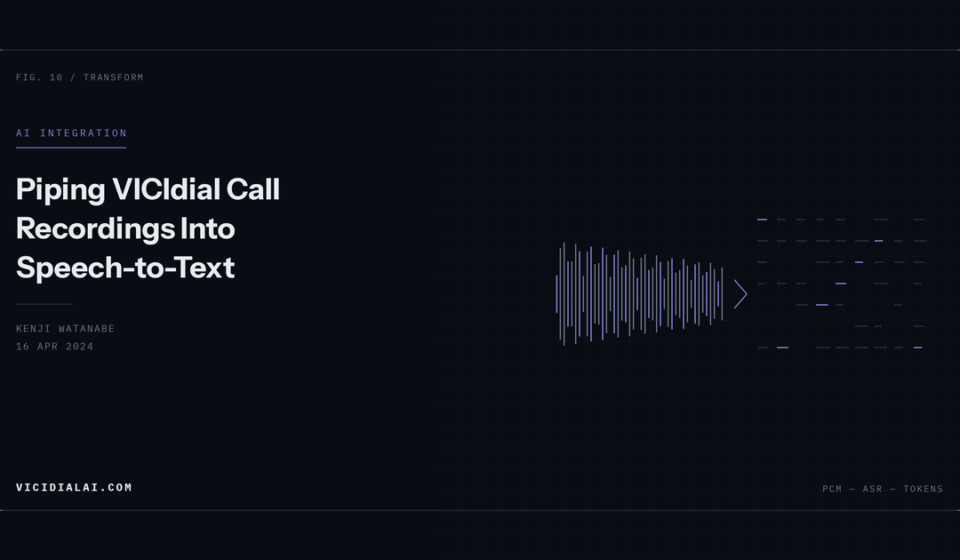

Most dialers sit on years of recordings that nobody listens to. QA samples a fraction of a percent, and everything else is storage cost. Transcription changes the economics — once calls are text, you can search them, score them, and flag the ones worth a human’s attention.
This post covers the plumbing: getting recordings out of VICIdial reliably, with the metadata attached, into whatever transcription engine you choose.
How VICIdial Stores Recordings
Two directories matter:
/var/spool/asterisk/monitor— calls currently in progress, written as raw.wav/var/spool/asterisk/monitorDONE— completed, and if MP3 conversion is enabled, converted to.mp3
The conversion is handled by AST_CRON_audio_1_move_mix.pl from cron. Check it is running:
crontab -l | grep audioA typical entry:
* * * * * /usr/share/astguiclient/AST_CRON_audio_1_move_mix.plThe Database Side
The table you want is recording_log:
DESCRIBE recording_log;Key columns:
| Column | Meaning |
|---|---|
recording_id | primary key |
lead_id | joins to vicidial_list |
user | agent who handled the call |
filename | base filename, no extension |
location | full URL or path as configured |
start_time / end_time | call boundaries |
length_in_sec | duration |
A query to find completed recordings that have not yet been transcribed — assuming you add your own table:
CREATE TABLE call_transcripts (
  recording_id INT PRIMARY KEY,
  lead_id INT,
  transcribed_at DATETIME,
  engine VARCHAR(32),
  transcript MEDIUMTEXT,
  INDEX (lead_id),
  INDEX (transcribed_at)
) ENGINE=InnoDB;
Use InnoDB here rather than MyISAM. This table will be written to constantly and you do not want it in the set of tables that crash on an unclean shutdown.
Then:
SELECT r.recording_id, r.lead_id, r.user, r.filename, r.length_in_sec
FROM recording_log r
LEFT JOIN call_transcripts t ON t.recording_id = r.recording_id
WHERE t.recording_id IS NULL
  AND r.length_in_sec > 10
  AND r.start_time > NOW() - INTERVAL 2 DAY
ORDER BY r.start_time
LIMIT 50;
The length_in_sec > 10 filter skips hangups and voicemail drops. On a predictive campaign that removes a large share of the volume for no loss of value.
A Watcher Script
This runs from cron, picks up untranscribed recordings, and writes results back. It uses a local Whisper install; substitute any engine by changing the transcribe() function.
#!/usr/bin/env python3
import os
import subprocess
import pymysql
from datetime import datetime

REC_DIR = "/var/spool/asterisk/monitorDONE"
BATCH = 25

DB = dict(
    host="localhost",
    user="vdcustom7z",
    password="Bn8kWe3jHd6y",
    database="asterisk",
    charset="utf8mb4",
)


def fetch_pending(conn):
    sql = """
        SELECT r.recording_id, r.lead_id, r.filename, r.length_in_sec
        FROM recording_log r
        LEFT JOIN call_transcripts t ON t.recording_id = r.recording_id
        WHERE t.recording_id IS NULL
          AND r.length_in_sec > 10
          AND r.end_time < NOW() - INTERVAL 2 MINUTE
        ORDER BY r.start_time
        LIMIT %s
    """
    with conn.cursor(pymysql.cursors.DictCursor) as cur:
        cur.execute(sql, (BATCH,))
        return cur.fetchall()


def locate(filename):
    for ext in (".mp3", ".wav", ".gsm"):
        path = os.path.join(REC_DIR, filename + ext)
        if os.path.exists(path):
            return path
    return None


def transcribe(path):
    result = subprocess.run(
        ["whisper", path, "--model", "small", "--language", "en",
         "--output_format", "txt", "--output_dir", "/tmp/transcripts"],
        capture_output=True, text=True, timeout=900,
    )
    if result.returncode != 0:
        raise RuntimeError(result.stderr[:500])

    base = os.path.splitext(os.path.basename(path))[0]
    out = f"/tmp/transcripts/{base}.txt"
    with open(out, "r", encoding="utf-8") as fh:
        text = fh.read().strip()
    os.remove(out)
    return text


def store(conn, rec, text, engine):
    sql = """
        INSERT INTO call_transcripts
            (recording_id, lead_id, transcribed_at, engine, transcript)
        VALUES (%s, %s, %s, %s, %s)
    """
    with conn.cursor() as cur:
        cur.execute(sql, (rec["recording_id"], rec["lead_id"],
                          datetime.now(), engine, text))
    conn.commit()


def main():
    conn = pymysql.connect(**DB)
    try:
        for rec in fetch_pending(conn):
            path = locate(rec["filename"])
            if not path:
                continue
            try:
                text = transcribe(path)
                store(conn, rec, text, "whisper-small")
                print(f"ok {rec['recording_id']} ({rec['length_in_sec']}s)")
            except Exception as exc:
                print(f"fail {rec['recording_id']}: {exc}")
    finally:
        conn.close()


if __name__ == "__main__":
    main()
Install the dependency and schedule it:
pip3 install pymysql
chmod +x /usr/local/bin/vd_transcribe.py
*/5 * * * * /usr/local/bin/vd_transcribe.py >> /var/log/vd_transcribe.log 2>&1Run It Off-Box
Transcription is CPU-hungry. Running Whisper on the same server as Asterisk will cause audio quality problems under load — RTP is latency-sensitive and will lose to a process pinning every core.
Two better patterns:
- NFS mount
monitorDONEread-only on a separate worker machine, and have the worker connect to the database over the private network. - Rsync completed recordings to a worker on a short interval.
rsync -az --remove-source-files \
  /var/spool/asterisk/monitorDONE/ worker:/data/recordings/
Only use --remove-source-files if you have decided the worker is now the system of record, and you have a backup there.
Stereo Recordings Are Worth the Effort
VICIdial can record agent and customer on separate channels. In Admin → Campaigns → Detail → Recording, look for the mix options. Separate channels mean speaker attribution comes free — no diarization step, no guessing who said what.
Split a stereo file before transcription:
sox call.wav -c 1 agent.wav remix 1
sox call.wav -c 1 customer.wav remix 2
Transcribe each, then interleave by timestamp. The quality difference for QA scoring is substantial.
What to Do With the Text
Once transcripts are joined to lead_id and user, ordinary SQL becomes useful:
-- Calls where the agent may have missed the required disclosure
SELECT t.recording_id, t.lead_id, r.user
FROM call_transcripts t
JOIN recording_log r ON r.recording_id = t.recording_id
WHERE t.transcript NOT LIKE '%this call may be recorded%'
  AND r.length_in_sec > 45;
Full-text indexing makes this faster at scale:
ALTER TABLE call_transcripts ADD FULLTEXT INDEX ft_transcript (transcript);

SELECT recording_id, lead_id
FROM call_transcripts
WHERE MATCH(transcript) AGAINST('cancel refund complaint' IN NATURAL LANGUAGE MODE)
LIMIT 50;
Compliance
Transcripts are a new copy of customer data and often a more searchable one than the audio. Before rolling this out:
- Confirm your recording consent covers derived processing
- Apply the same retention policy to transcripts as to recordings, and actually delete on schedule
- If sending audio to a third-party API, check where it is processed and whether it is retained for model training
- Restrict database access to the transcript table separately from general reporting access
A local model avoids the third-party question entirely, which is one of the stronger arguments for running Whisper yourself rather than calling out.
Next Steps
With transcripts in a table, the obvious follow-ons are automated QA scoring against your scorecard, topic clustering to find why people call, and real-time agent assist. Each of those builds on this same pipeline — the hard part was always getting clean audio out with its metadata intact.